Your repeating tasks…
focussed to NOW
Create & share repeating task lists for work or home.
Filter to see only what you need to, tick as you go, and one tap resets it, ready to go again.
— works for days of the week, repeating shifts & flexible to any use.
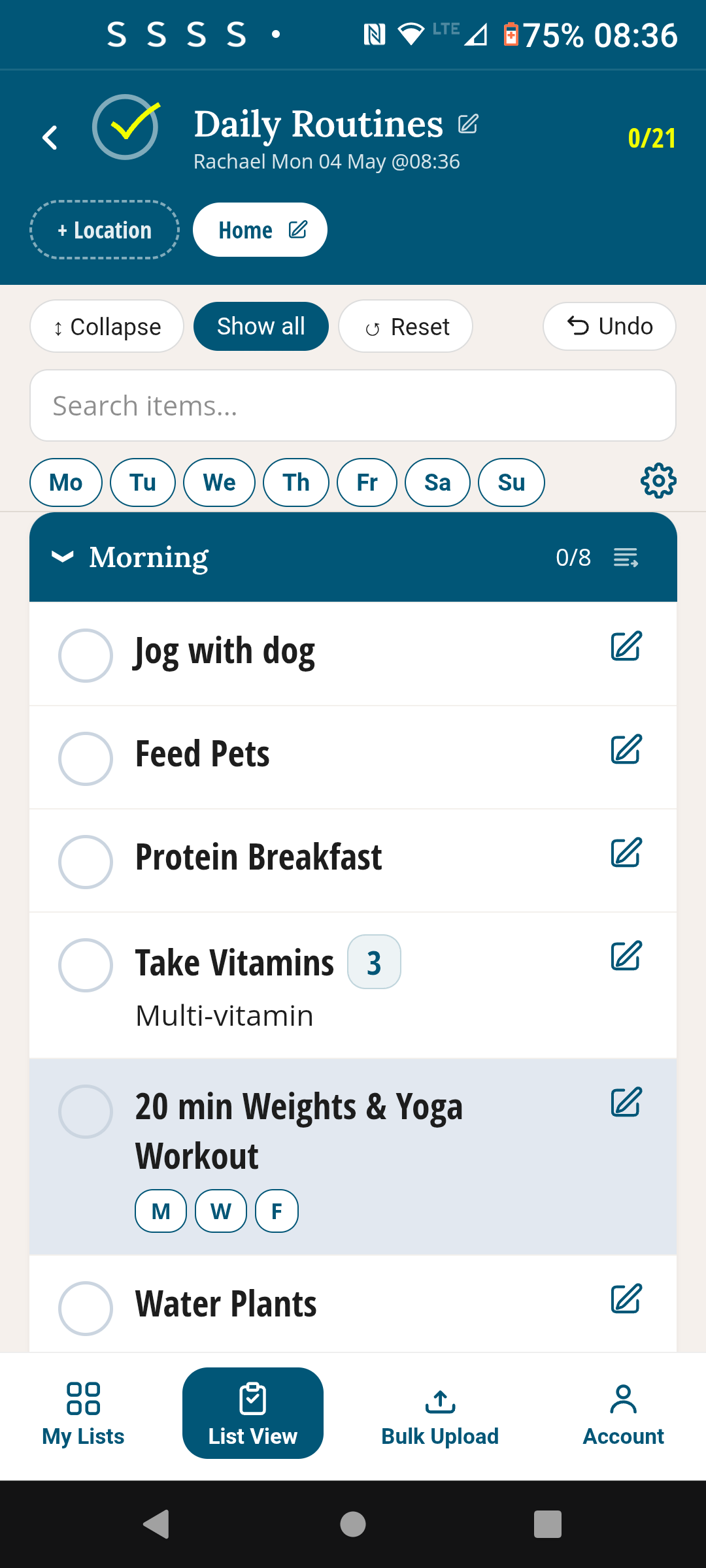
Who it's for
Built for anything that needs to be done repeatedly






Why it works
Reliable routines
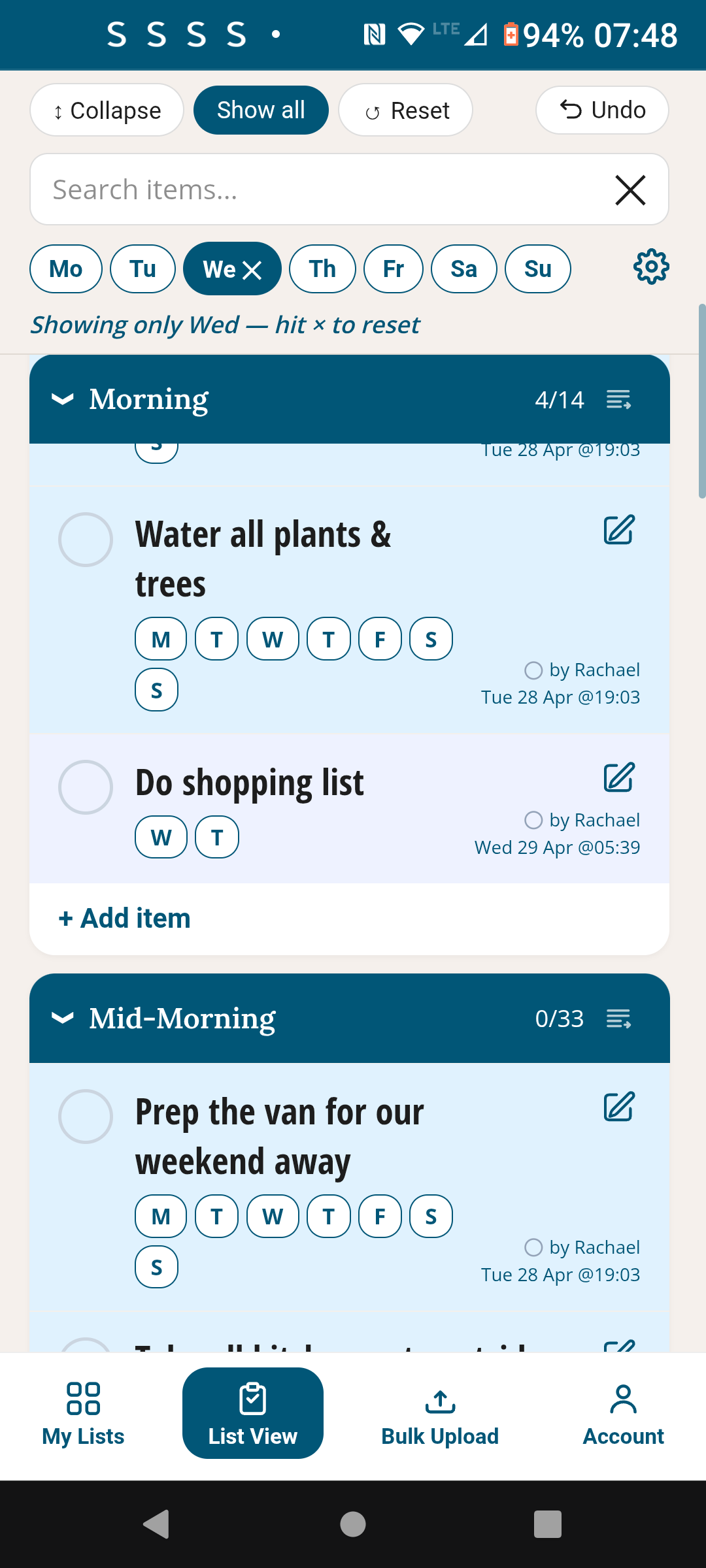
Only today's tasks, nothing else
Every task is tagged to the days it belongs to. On Wednesday you see Wednesday's list — Monday's gym session and Saturday's housework don't clutter your view. One tap on the day and you're focused.
Done. Reset. Ready again.
Tick off each task as you go. When you're finished, tap Reset Routine and it's clean and ready for next time — whether that's tomorrow morning, next Monday, or the next shift. Works for any schedule, not just Monday to Sunday, maybe you have a 10-day repeating shift pattern, it works for that too. Tap 'To do' to see only what's outstanding.
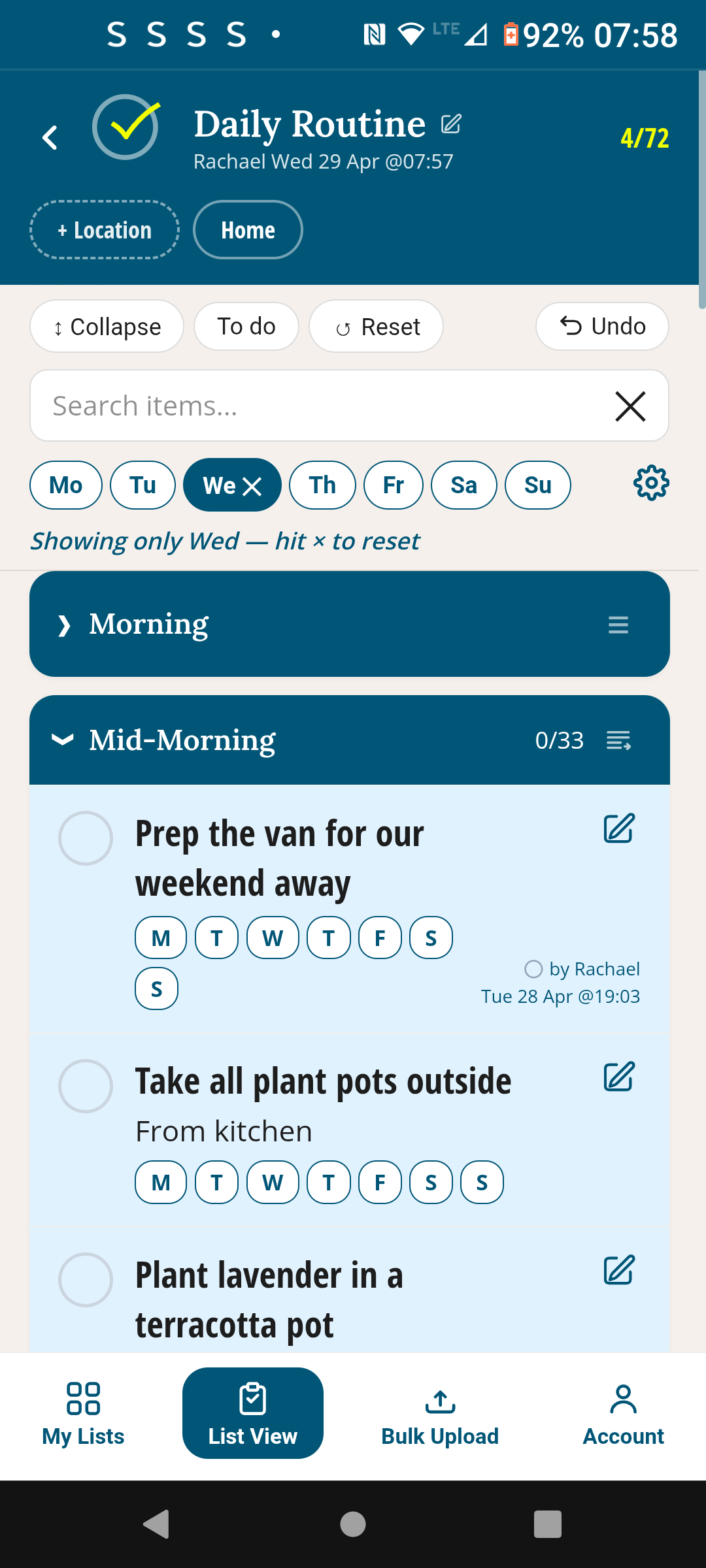
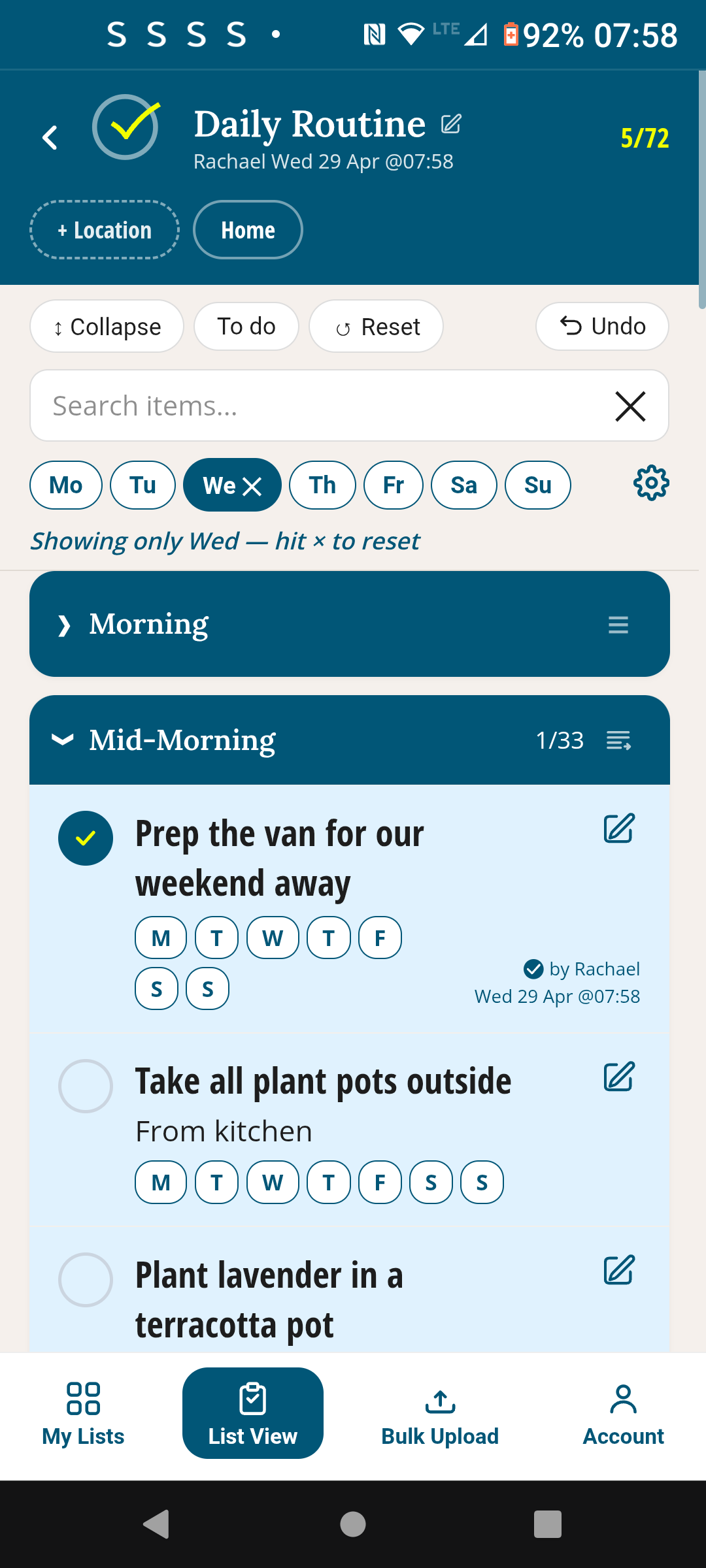
Before and after ticking — then tap Reset and it's ready again
Shared with your whole team
Everyone sees the same routine. When Mike ticks "Walk dog", Rachael can see it instantly — with his name and timestamp. No confusion about who's done what.
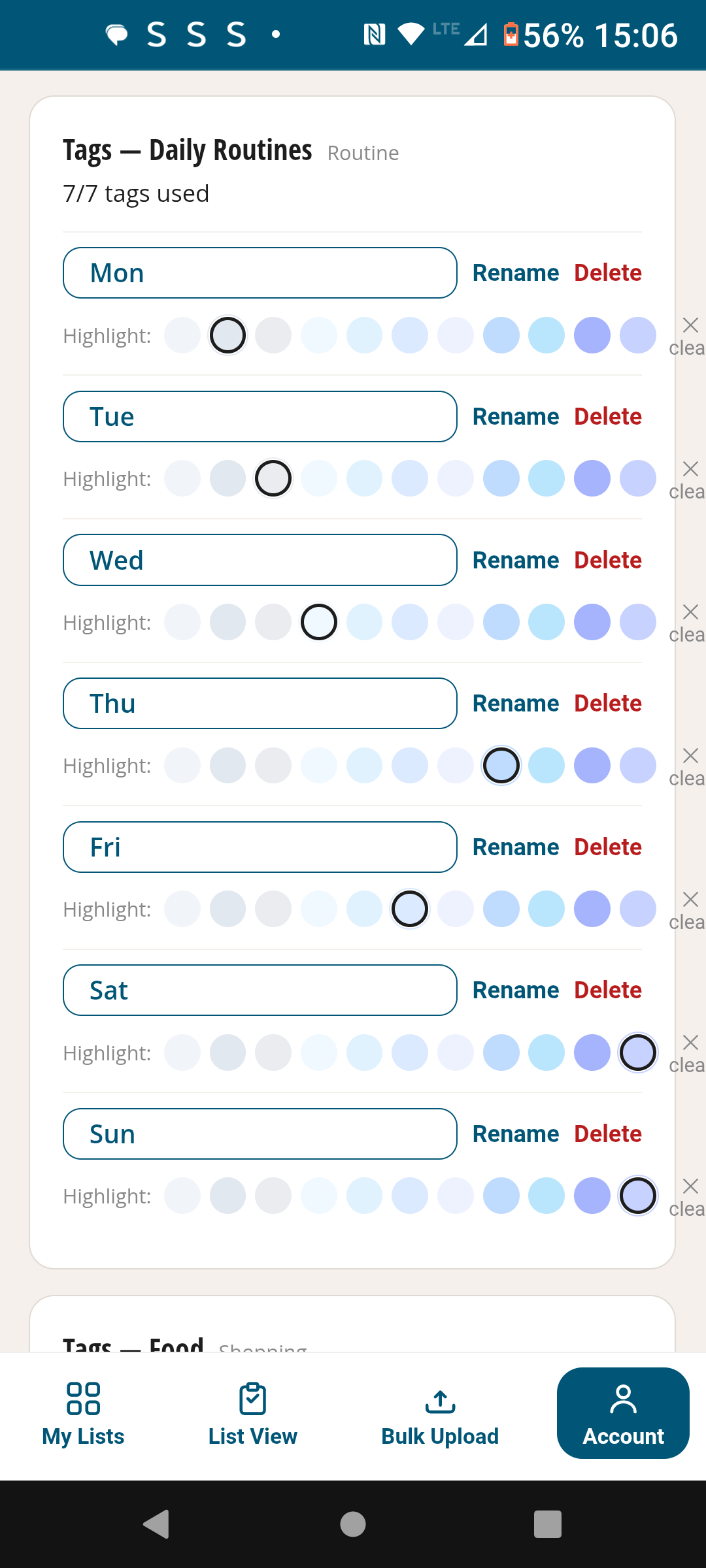
Colour-coded by tag
Each tag can have its own colour, so at a glance you can visually separate. If you choose to use days of the week for example, you can see which tasks are Mondays-only, which are every weekday, and which are weekend jobs.
How it works
Set up once, use every day
Create your routine
Name it and add sections — Morning, Mid-morning, Lunchtime, Afternoon, Evening, whatever fits. One routine can cover your whole day. Collapse the sections to focus just on what's to be done now.
Use tags to organise, separate and filter
Add each task and tag it to the day or shift it applies — each gets a colour. Tasks that don't apply can be hidden, so you only ever see what's relevant right now.
Filter by tag, tick as you go
Tap the tag you want to filter the list. Work through your tasks and tick each one. Everyone on the list sees every tick in real time.
Reset when you're done
Tap Reset Routine and it's clean and ready for next time — no leftover ticks, no clearing up. Works to any schedule.
Early feedback
"I set up our Saturday morning cleaning routine once, and now we both just work through it. When we're done, one tap resets it for next time. That's it."
The routine your household or team can use easily
Always ready. Shared in real time. Free to start.
Free to use · No credit card · Works on any device
Also in TickLists
Use TickLists for your Shopping Lists too
One permanent list, sorted to the exact section order of every store — shared live with anyone on your list.
See Shopping Lists →