Households & families
One shared list. Sorted to your store. Updated live.
The household shopping list everyone can add to, see in real time, and use in the actual order of your store. Permanent items that never need retyping — just tick when you need something, untick when it's in the trolley.
Who it's for
One list that works for your whole household
Couples
Both of you can add items from anywhere. If your partner's passing a shop, they can see exactly what's needed — sorted into that store's aisle order automatically.
Families
Add a note on a Monday that you're out of cereal, and it'll be on the list when someone does the weekend shop — without any messages, reminders or nagging.
Multiple stores
Lidl on Wednesdays, Waitrose at the weekend, the farm shop on the way back from school. Each store remembers its own aisle order. You just tick.
Why it works
Permanent, shared, sorted — all three.
One master list — nothing ever gets deleted
Everything you buy regularly lives on your list permanently. Milk, eggs, pasta, washing powder — they're always there. Need something this week? Tick it. Bought it? Untick it. The item stays on your list, ready to tick again next time. No retyping. No "did you add the coffee?" texts.
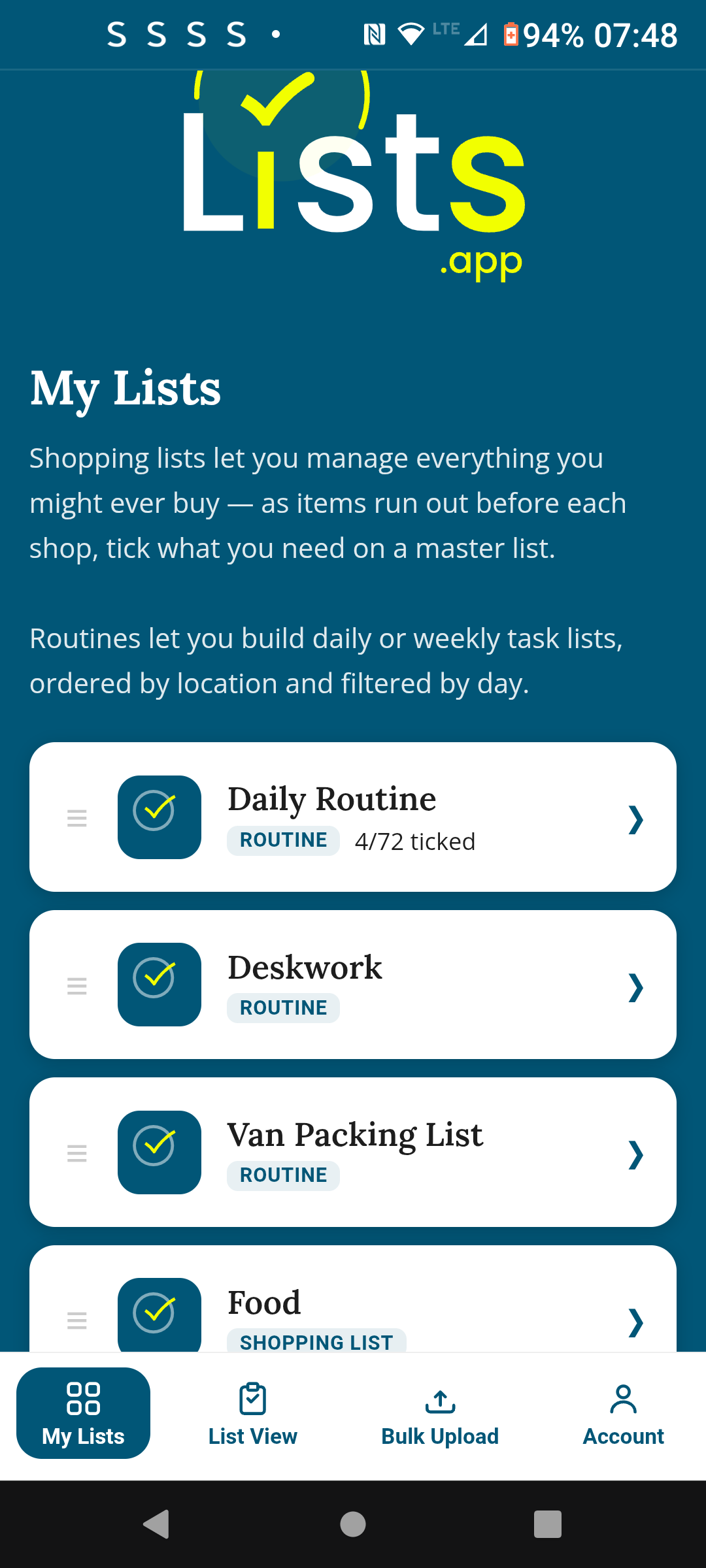
Sorted to your exact store layout
Set the aisle order for each store once — Fruit & Veg, Bakery, Dairy, Meat — and the list reorders itself automatically every time you shop there. No backtracking. No wandering back to grab what you missed. Different stores have different layouts? No problem — each one remembers its own order.
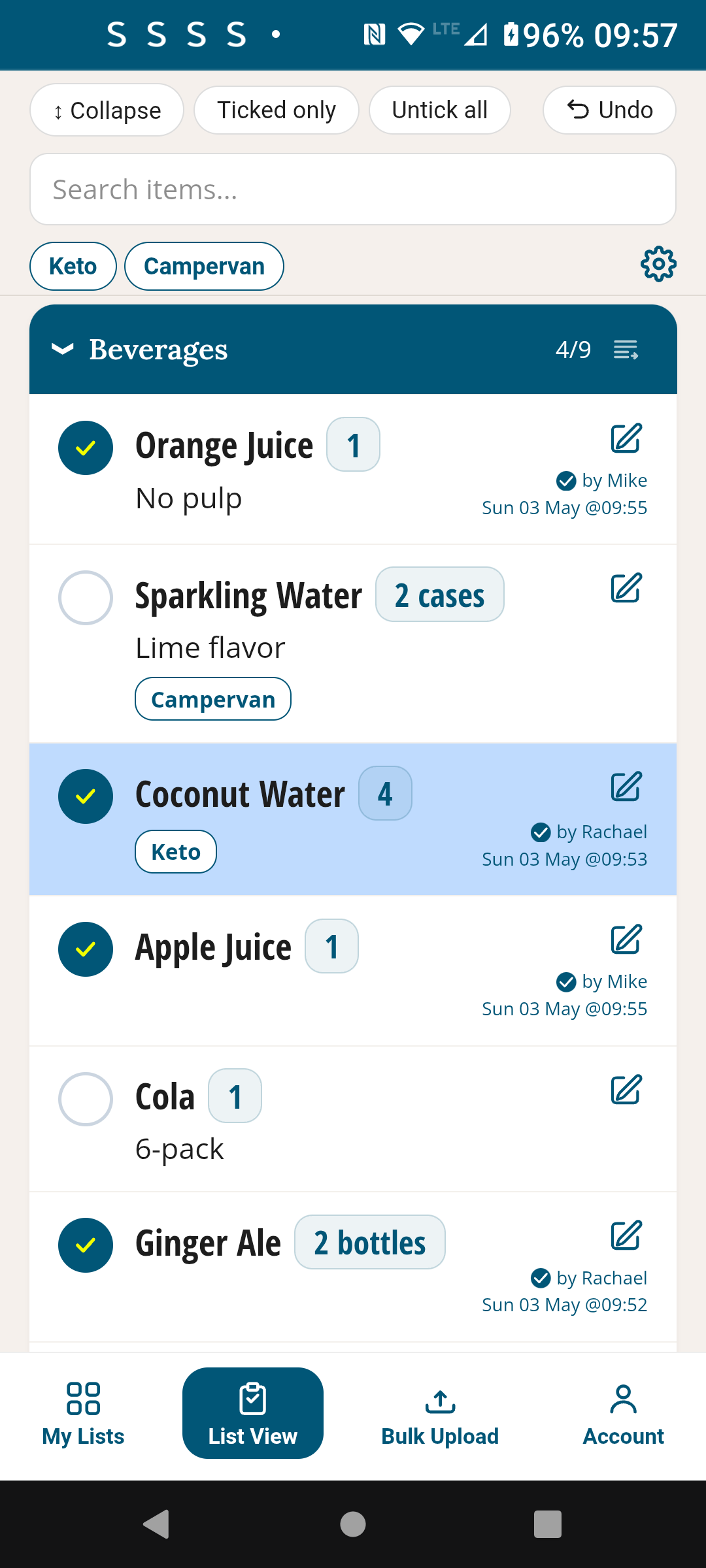
Live sync — everyone sees the same list
When your partner ticks off the milk, it disappears from your screen instantly. If you add the bread while they're still shopping, it appears on their list. Real-time, no refreshing needed. No more buying two of something because the list wasn't updated. Sharing is always free — invite as many people as you like.
How it works
Ready to use in 5 minutes
Create your list
Open TickLists, create a new Shopping List. Name it after your main store — Lidl, Tesco, whatever you use. Add sections for the main aisles.
Add everything you buy
Add all your regulars — even things you don't need right now. Assign each item to its aisle section. Use bulk upload to paste your existing list in one go.
Share with your household
Send a share link to everyone. They open it in their browser — no app download, no account needed for shared members. They can add items and see ticks in real time.
Shop, tick, done
Tick items as you put them in the trolley. Everyone sees each tick live. Done shopping? Untick everything in one tap — the list is ready for next week.
Early feedback
"My husband and I used to have the same argument every week — things on the list he hadn't seen, duplicates we'd both bought, backtracking in the supermarket. TickLists sorted all three. I set the aisle order once and now we just follow the list top to bottom. It's embarrassingly good."
One list. Everyone in sync. No backtracks.
Free to start. Sharing is always free. No credit card needed.
Free · No credit card · Works on any device
Also in TickLists
Household routines too
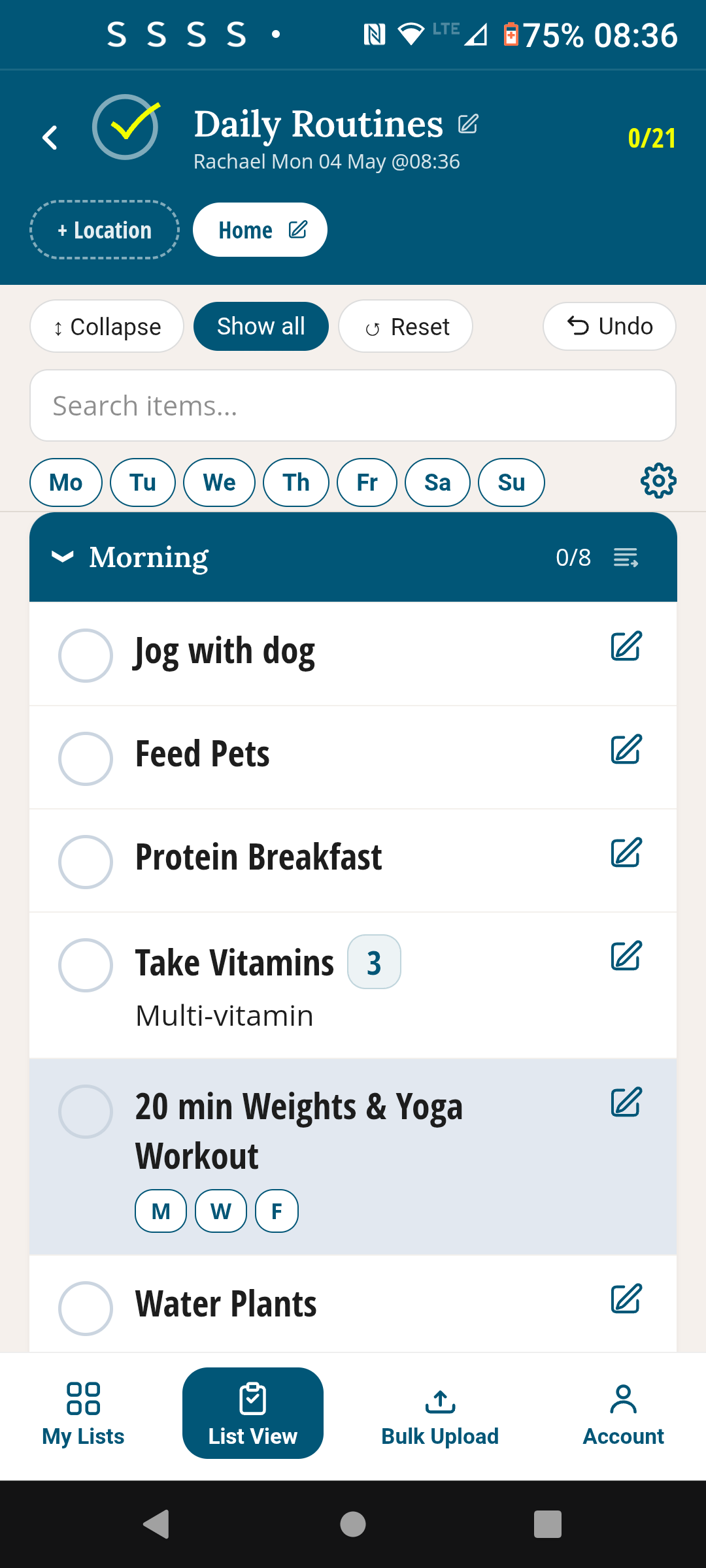
Morning routines, cleaning schedules, weekly tasks — all shareable, all reusable. Set them up once, tick off together.
See Daily Routines →