Family care & older adults
Food shopping for elderly parents made easy.
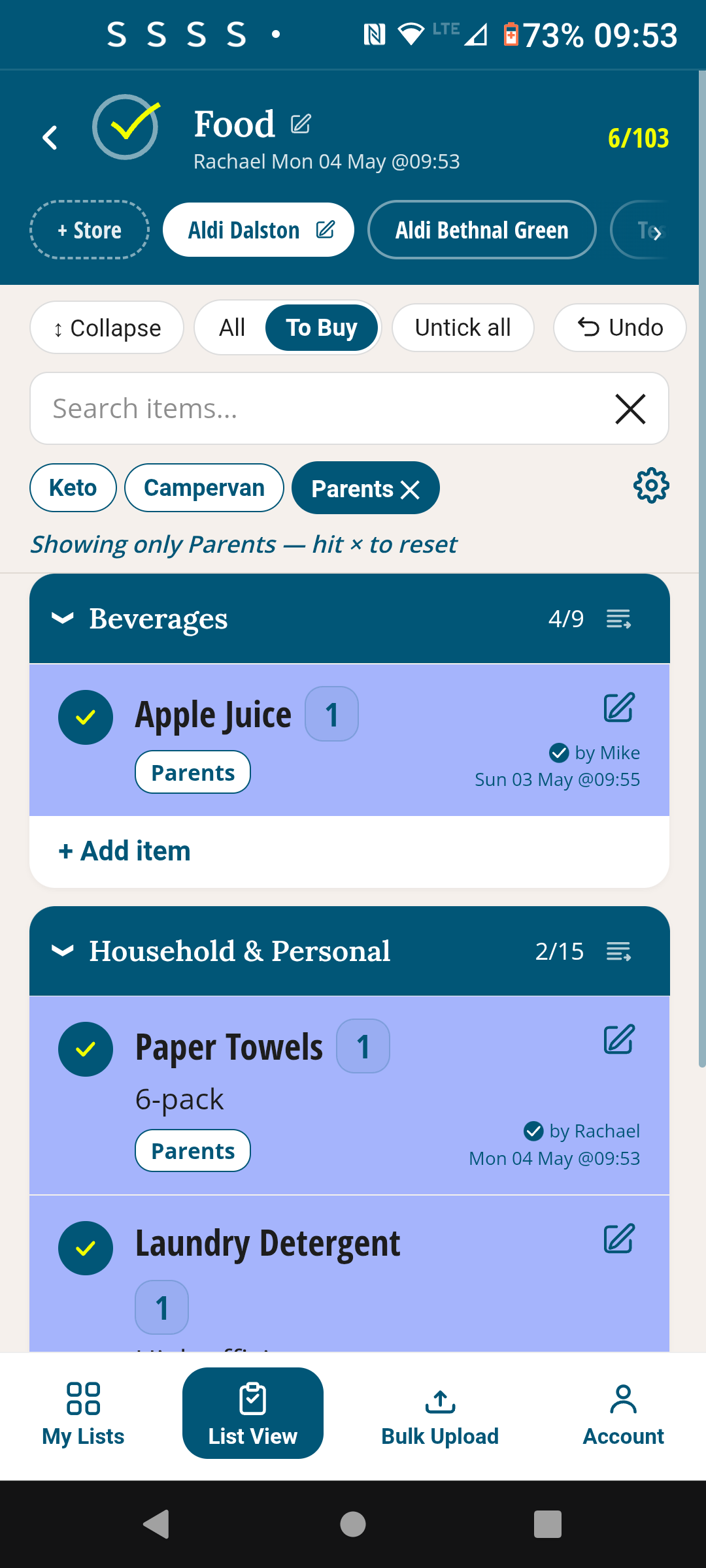
You set up the list & share it with the elderly. They receive an email, tap the link and open a webpage on their phone or laptop.
Just save it to their homescreen like it’s an app. They tick food items as they run out of them.
You can see their ticks and filter to keep their bag separate at checkout.
TickLists works in any browser — no app store.
Who it helps
For families who do the shopping for their parents
Adult children
You set up the list and share it with your parent. They sit at home and tick what they're running low on. When you're heading to the shops, you check the list, pick everything up, and drop it round. No phone calls listing items. No guessing.
Family carers
Your parent ticks what they need between your visits — milk, bread, whatever they've noticed is running low. You see the list update in real time and bring it all on your next visit. They never need to go to a shop.
Older adults
No app store — it works in any browser, so there's nothing to download or install. Your family sets it up with you once. After that, when something runs low, you tick it. They see it and bring it next time they visit.
Why it works
Simple for them. Powerful for you.
No app store. No account. Just a link.
It’s quick and easy to share a food shopping list or anything else — in the account page, enter their email address, they receive an email, open the link in any browser on any phone or tablet. Save it to the home screen like it’s an app. You manage everything: what’s on the list, what gets updated, what sections it has. All they do is tick.
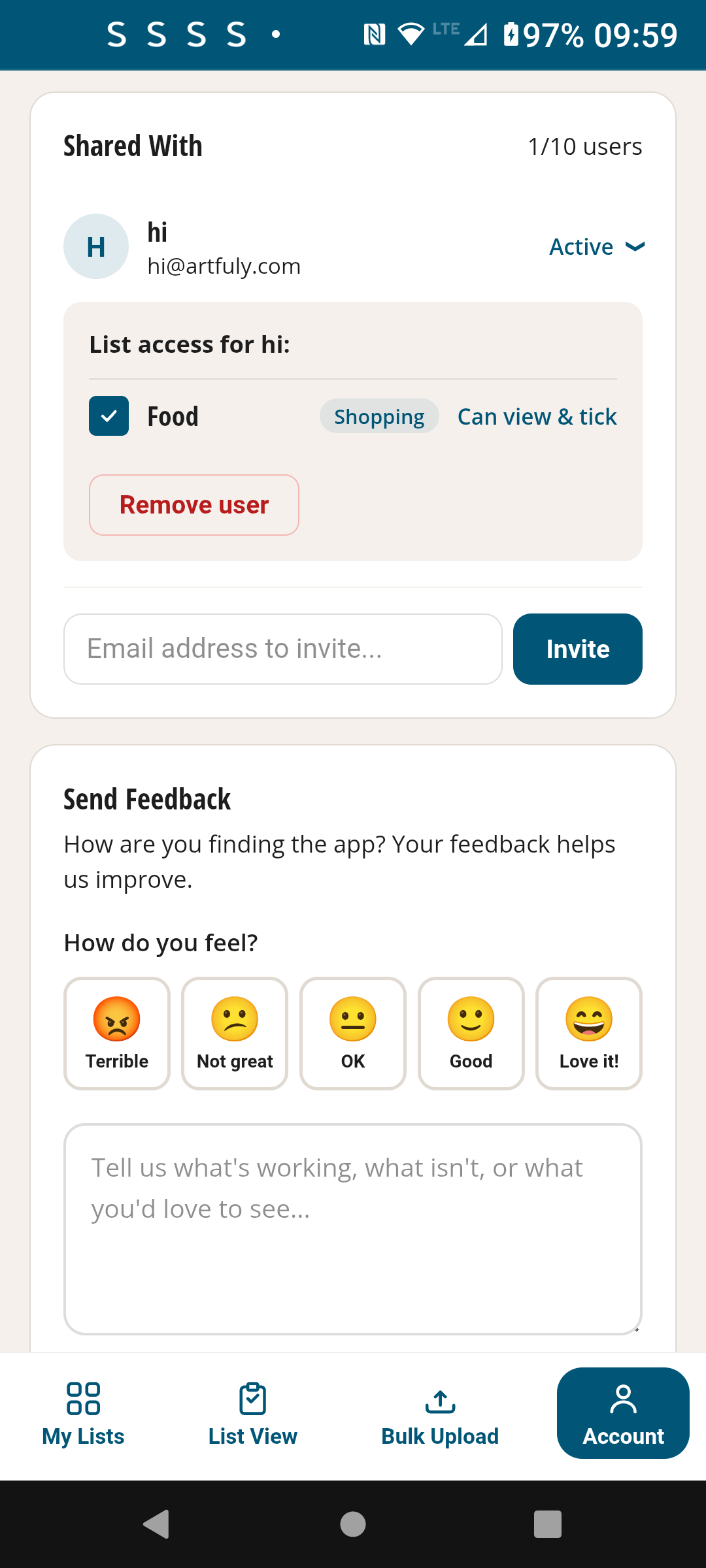
Ticks are live immediately.
You can see who last ticked any item, and can use the tags to tag who needs it, e.g. create and add a tag called ‘Parents’. If they’re able, ask them to tag each item they tick themselves. Then click ‘Parents’ at the top and you’ll see only what they need.
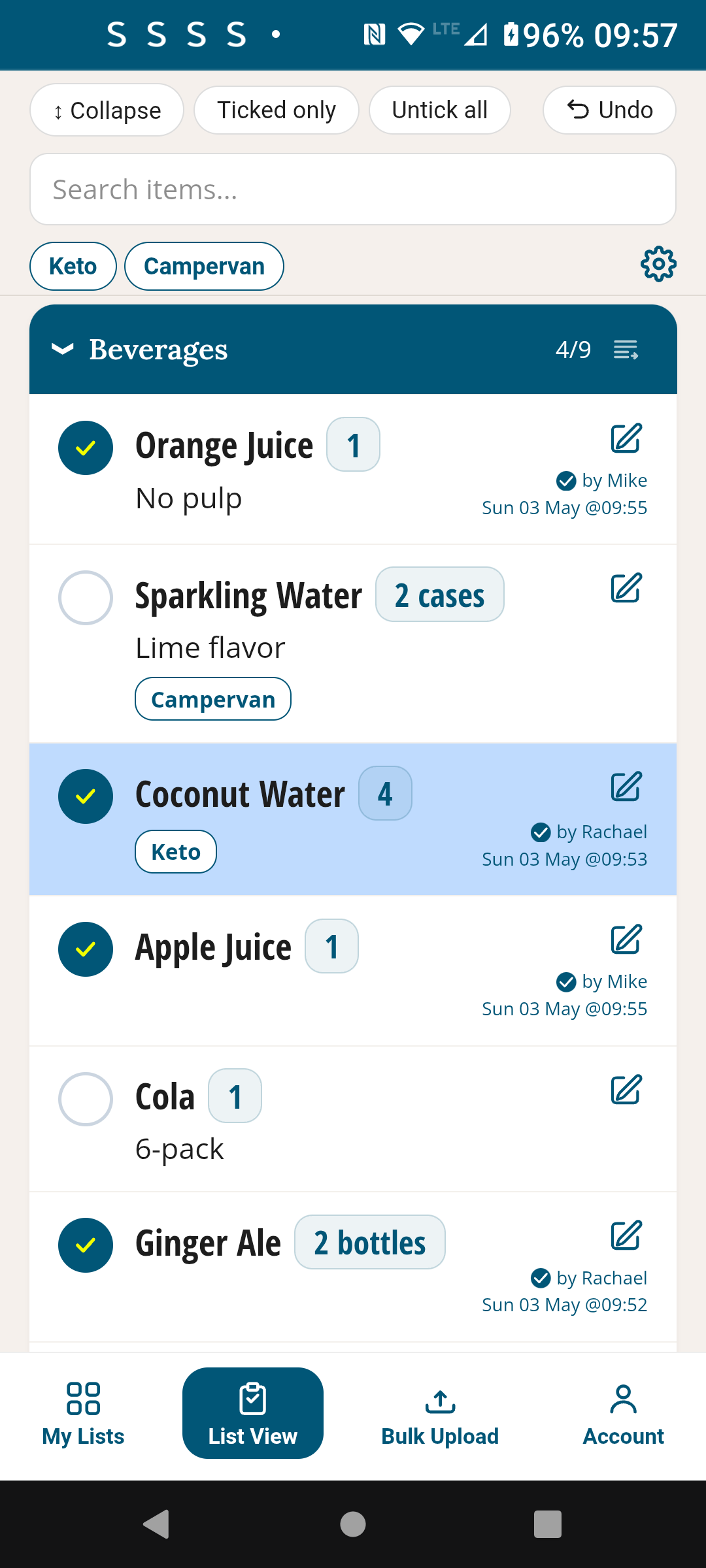
A master list — nothing ever gets forgotten
Set up everything they need regularly — and it stays on the list unless edited. When they run out of something, they tick it. When you’ve bought it, deliver the bag to them and untick all with one button. No retyping, no re-sending, no “can you send me that list again?” Everything’s always there, always up to date.
How it works
Set up once, use it every week
Create the list
Open TickLists on your phone or computer. Create a new Shopping List. Add sections for the aisles of the store they use. Add all their regulars.
Share the link once
Share the list link with your parent from the account page. They receive it in an email and open it on their phone or tablet. Add it to the homescreen like it’s an app — that’s all the setup they’ll ever need.
They tick.
When something’s running low, they tick it. You’ll see it next time you go shopping and can pick up their things too.
You drop around with their shopping
and can then reset the list, ready for the upcoming days. Everything resets for next week — nothing to rebuild, nothing to re-send.
Early feedback
"My mum is 78. Getting her onto any app has always been a nightmare — the download, the account, the password. With TickLists she received an email from my account, she bookmarked it, and now she uses it every week. I can see when she's ticked things off and add items if she's missed something. It's the first thing that actually worked."
Simple for them. In control for you.
Free to start. Sharing is always free. No credit card needed.
Free · No credit card · Works on any device
Also in TickLists
Household shopping for couples & families
One permanent shared list, live-synced, sorted to your store's aisle order. Never backtrack. Never retype.
See Household Shopping →